How dots took over my Codex

What’s the difference between dots and Codex? And if you’re already happy with Codex, why would you use a dot?
I’d already put a fair amount of work into my Codex setup, so I was skeptical how dots would fit in. I wrote earlier this year about using memories, plugins and automations together, including a “Chief of Staff” thread that helped me keep up with what I was working on. Now after using my dot for a bit, I can’t imagine working without it.
For me, the biggest difference is how much mental bandwidth my dot frees up. I can hand something over and stop keeping track of every step myself.
If you’ve been playing with loops or a “thread of threads” to get more out of Codex, you’ll quickly come to love working with dots. Dots give you another way to get more done with Codex.
But what are dots?
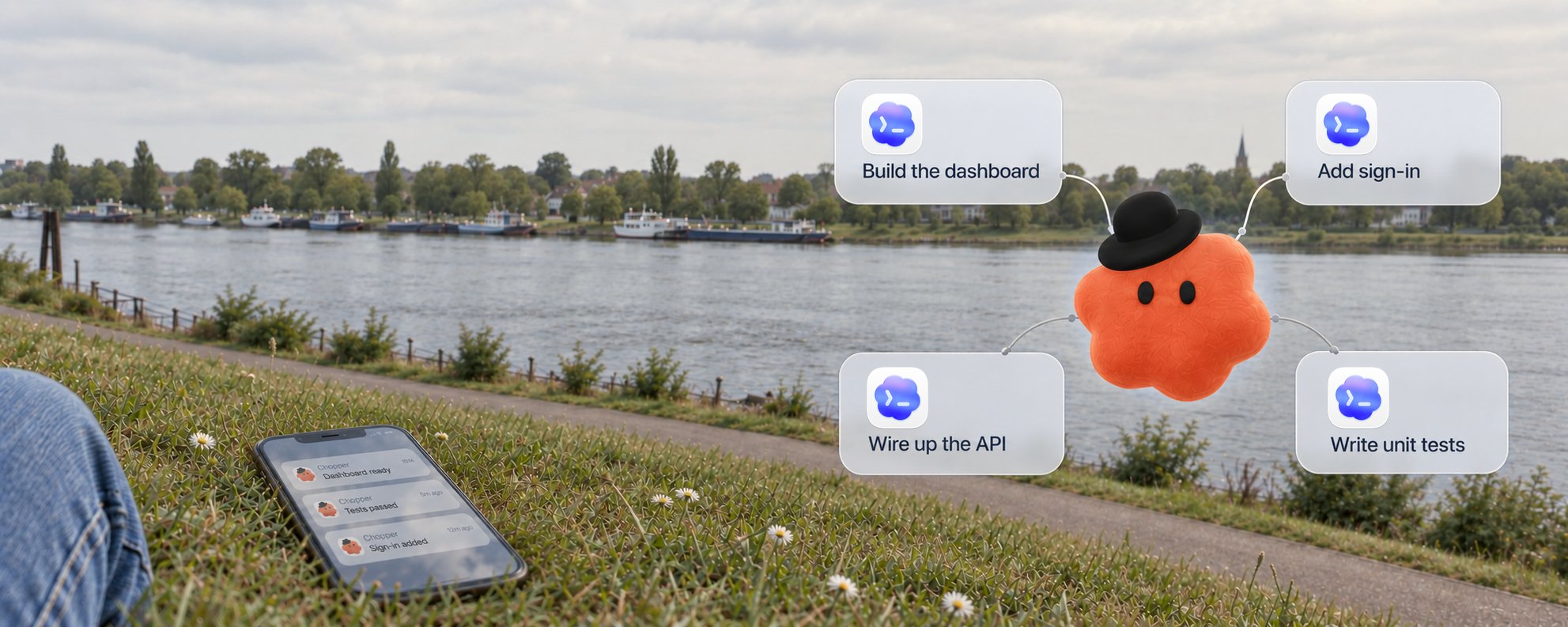
Your dot is your proactive personal agent. You can personalize its name, looks (yes, you can use your pet) and how you interact. My dot is called Chopper.
A common workflow for me, before dots, used to involve taking an Appshot or a Slack message link into Codex, asking it to build the feature and telling it to monitor the deployment and close the loop back in Slack. I’d have to separately ask it to set up an automation to keep up with any possible changes to the feature or launch plan. Then repeat that for every new thing.
Now I can tag my dot directly in the Slack thread. It takes on the task, works through the problem and replies there. And because it’s proactive, it will automatically keep an eye on changes around the launch and bring them to my attention.
Dots are built on the same open-source Codex harness and can use a lot of the same context, including the plugins you already have installed in your account.

dots use the same Codex agent harness and can coordinate tasks across your own PC, the cloud and your dot's PC
At the moment you can only create one dot. But personally, I’ve found it helpful to have one agent to send work to without first choosing a Codex thread.
Here are the three biggest aspects of dots that may feel different from how you use Codex today:
- Continuity & personalization: your dot can share context across the different channels you engage in, manage relevant context over prolonged periods, and become increasingly more personalized
- Coordination: your dot can work on independent tasks in parallel and fan things out to your local Codex and Codex Cloud while you keep talking to it. That way I can focus on what to build, not how to organize the work.
- Proactivity: dots are designed to follow up on work and notice things that need your attention without you having to explicitly ask. It gives me peace of mind in a busy day.
Continuity & personalization
I regularly talk to my friends or my spouse in multiple different places like WhatsApp, Slack, phone or social media about different topics, but we still share the context and don’t have to start from scratch with every conversation. Dots can do the same thing.
For me, that might start with a colleague reporting a bug in Slack. I forward it to my dot, Chopper, and it can dig into getting the information it needs and start the work. Later, on my commute, I can call Chopper and pick up the same topic or even a completely different one. When I’m back at my desk, I can continue in the desktop chat or review the work it has done. It’s the same dot across all those conversations.
I can even use more than one channel at the same time. While we’re on the phone, Chopper can send me something to look at, and I can type a reaction or send it a link without ending the call. That’s how I’ve been iterating on this post in ChatGPT Space. It can also let me know that another task has finished while we keep talking or notify me when something urgent comes up just like a great colleague does.
Dots have a new set of tools to manage these never ending conversations, on top of the existing compaction that you are familiar with from Codex. My dot can keep track of important notes for itself and wake up at times to do background research on the topics that are relevant. This leads to a much better personalized experience with your dot. It learns the nuances of the work I’m doing and my relationships at work, and as a result I trust it much more to handle my work.
My dot also has access to my ChatGPT memory along with any ChatGPT conversations. And the plugins I’ve connected in ChatGPT/Codex let it look up information and perform tasks in the tools and services I use. So if you’ve been using Codex already, you don’t have to start from scratch.
Coordination
Since I only use one dot, it’s important that it can do multiple things at the same time, while you keep talking to it. It does this by starting subagents and independent tasks in parallel, and can then bring the results back. I can keep talking through the bug while another task researches something entirely different.
To do this, your dot has its own cloud computer and browser. It can log into sites there, perform tasks, even use some powerful pre-installed apps like Blender. It can also start coding tasks in Codex Cloud environments I’ve set up for my repos, or on my own local computer.

Your dot has its own VM that it can perform tasks on including using apps like Blender
Cloud tasks can keep running with my laptop off. Local work needs my computer connected, online and running the app, but it means it can use all my local context incl. computer use or controlling my logged in browser. I can open those tasks to work directly with Codex, or leave Chopper to coordinate them. It can also personalize its behavior based on your needs. For example, I prefer backend changes or quick copy changes to be handled in the cloud while I like to do major front-end changes on my local laptop. Over time your dot learns these preferences and will handle them automatically.
Say I’m on the road and have an idea for something I want to build. I can call my dot, explain the idea and have it start a Codex Cloud task while we keep talking. Later, I can open that thread and iterate directly with Codex, or leave my dot to keep working on it.
Proactivity
Probably the biggest difference with dots is their proactivity. Alongside the things I ask Chopper to do, it can piece together information from my connected apps and tools in the background to keep up with my work, without me having to prompt it. A new Slack message or a decision in meeting notes might matter to something we discussed last week. Chopper can connect the two and bring it to my attention.
One example from my own work was having Chopper follow a PR through production and confirm when I could retry the fix. That saved me from having to keep checking. The update I cared about was that I could try again.
During DevDay I was checking on Slack whether any issues we were facing during the keynote were impacting my own talk’s demos. My dot noticed this but also realized that there was another incident going on that I had not seen. It cross checked my talk script against the outage and my talk schedule and let me know that I should check that part of the demo.

Real message from my dot during DevDay
I can also set up explicit automations for checks at particular times or supported events. For ongoing work, my dot can sleep and wake up to continue on its own, whether that means doing more research or checking on a task. I don’t have to turn every follow-up into an automation myself.
You can also take this further. One of the engineers on the dots team gave his dot the permission to not just monitor the feedback channel but to go and investigate the issues, start Codex tasks for a fix, check the CI work and work through any failures. For any major issues it would flag those back to the engineer to jump in. Because all of these tasks were Codex threads, he could immediately jump in and pick up where the dot left off.
Proactivity can also stretch into existing tasks. For example, if you are working on a task using your dot on your local Codex and your calendar indicates that you have to commute soon, it might suggest moving the task over to the cloud to continue working on it while you are traveling.
Connecting your dot to your email or Slack/Teams is a great start for it to start collecting signals to be proactive, but the best way to get the most out of it is to interact with it. The more you send tasks from your dot, the more it will learn where it can be helpful. By default it will do research but not perform tasks. The more you build the trust, the more you can prompt it to be empowered to perform more tasks on its own without alerting you first. You can use custom rules to set when it should ask you.
Where I would start
Now I’ll be honest: if you’ve built your own loops or a thread-of-threads setup, you might not notice the benefit of dots immediately. However, right now dots do not consume any of your ChatGPT usage limits (unless they delegate to your local Codex or Codex Cloud) and are virtually unlimited. It’s a great opportunity for you to give it a shot and send tasks through your dot. You’ll quickly see it become proactive and help you get even more out of your Codex.
Start by setting up your dot in the ChatGPT desktop app and connect it to your local Codex. Use it as a replacement for any “thread of threads” you have by asking your dot to spin up the Codex tasks for you. From here you can:
- Pick a task you’re tired of doing every day or a few times a week, where you know what a good result looks like. Show your dot how you do it and refine the results together before handing it over. Give your dot the relevant links and access as well as what it’s allowed to handle. Claire Vo calls this the “anti-to-do-list”.
- Ask it to keep an eye on any bugs you get tagged in and handle them for you.
- Tell it what it can do itself and what you want to review. You can either prompt it to do so or use custom rules for ongoing instructions about when it should ask you. Those rules will apply on top of the regular app permissions and built-in safeguards.
For me, a useful shorthand is: delegate to my dot, collab with Codex. I still talk to Codex directly when I want to actively pair on a problem, but increasingly I found myself just sharing my thoughts and problems with my dot and letting it handle the rest. It makes me move faster while freeing up a lot of my mental load.
Dots are still early and we’re iterating quickly on them. What’s missing that would make dots more useful in your workflow?